Showing posts with label Microsoft Surface. Show all posts

Friday, 7 September 2018

Surface Pro 4 or Surface Book phantom touches

A couple of days ago one of our docked Surface Pro 4 (SP4) units started to experience what looked like an ongoing touch in the middle between the two screens near the bottom.

A reach over to the SP4 and a touch to figure out where the phantom touches were happening brought about the discovery that it was near the bottom righthand corner of the touch screen.

Weird.

Okay, so pull it off the dock, give it a good screen cleaning, and for good measure blow it out since it's been sitting there for a while.

It seemed okay but the problem came back.

A reboot would not fix it either.

So, in to the Microsoft Store we went today. The tech took it into the back for a few minutes then came back and said it's good to go.

What was done? They have a calibration tool there at the store to recalibrate the touch screen.

Since that was done the SP4 has been behaving. We'll see, but let's hope it's all good.

As it turns out, the task run by the Microsoft Tech is in the above KB article.

So, if experiencing phantom touches download and run the calibration tool found in that article.

UPDATE 2018-09-10: They came back. :(

As  an FYI, this time around instead of hugging one side of the screen we had a line of touches running across the screen.

So, instead of heading back to the store we ran through the hotfix e-mail process and ran the utility.

The phantom touches disappeared again. We'll see for how long.

Philip Elder
Microsoft High Availability MVP
MPECS Inc.
Co-Author: SBS 2008 Blueprint Book
www.commodityclusters.com
Our Web Site
Our Cloud Service

Friday, 11 August 2017

Some Thoughts on Writing in Digital and the Surface Pro 4

I personally love to write. With real pens and ink. :)

Currently, we have a pending order with a Taiwanese vendor for some TWSBI fountain pens.


The above image is from TWSBI's web site. It's a TWSBI Diamond 580 Clear. There's also a Mini version that travels a lot better.

Pilot makes some gorgeous inks. The above ajisai is a pretty neat colour that will be the go-to for regular note taking. We have several different colours on their way at the moment.

When there is a need to write in pencil the Platinum PRO-USE 03 (MSD-1500) is one of the best mechanical pencils ever made in my opinion.


When it comes to art, my primary medium is coloured pencil on various media or graphite pencil also on various media. I'm currently working on a Tiger Moth Orchid using Faber-Castell Polychromos oil based colour pencils.

All of the above is to bring about just how important the digital ink experience needs to be. While not a professional digital ink writer or artist by any means, the digital ink experience is quite important.

To date, my personal best digital pen experience for both writing and art has been with the Microsoft Surface Pro 3 with the Pro 4 (SP4) being even better.

The SP4 provides an excellent platform for one who prefers to write over type.

OneNote has an excellent recognition process that allows for hand written notes to be copied and pasted into Word. For those that take notes at meetings to provide minutes at a later date this feature works great!

It's also great for those that attend conferences to gain information. Writing the notes on the fly can be a lot faster, especially for those of us that developed a written shorthand while in university classes back in the day. ;)

Tie in the taking of pictures to use as a reference later in the day when re-working the handwritten notes into a final set and we have a pretty good method for building some pretty good written work such as articles, blog posts, or even books.

Side Note: Another aspect of writing versus typing is in memory retention. Retention seems to be _a lot_ better when notes are taken live with a pen versus typing those notes in. Retention gets even better if the "crib" notes and pictures are re-worked later that day into a final set of notes.

At some point time will be spent with the Microsoft Surface Studio. It seems to be about the best platform out there for the artistically inclined. We certainly know of quite a few engineering, architectural, and other such firms either switching or looking to switch to the Surface Studio.

The one catch though is that it is difficult to let go of pen and paper when it comes to art. For some, the "analog" versus "digital" art "discussion" can be quite "religious" in nature. ;)

Suffice it to say, if looking for a new ultra-portable system that will run most work related applications and provide an excellent platform for the written word the Surface Pro 4 is the one to choose.

Philip Elder
Microsoft High Availability MVP
MPECS Inc.
Co-Author: SBS 2008 Blueprint Book
Our Cloud Service
Twitter: @MPECSInc

Wednesday, 14 August 2013

Microsoft Slaughtering It’s Own Cash Cow?

We in SMB IT have been hearing the Microsoft Cloud Drums for quite a few years now.

In the first year or two the call was along the lines of how great Microsoft’s new Cloud was to be and how we were all going to do well selling it.

Well, in SMB IT that pretty much fell flat on its face once it became apparent the SMB IT Provider was not be be billing the customer Microsoft was.

Plus, where was the SMB IT Provider supposed to fit in to the picture anyway?

The drums kept beating but the SMB IT Solution Provider did not listen.

Microsoft made some changes in their sales model for the Microsoft Cloud product line that allowed the SMB IT Provider to bill their clients, but uptake was probably very slow if at all.

Off to conferences and Webinars we go where “Partners” trumpet their great success selling Microsoft and other Cloud Vendor’s wares. How great their success was they were proclaiming but in the end we received a lot of fluff with little substance.

The drums are still beating today. However, they no longer beat for us to take up the call and sell Microsoft Cloud.

IMNSHO, they now beat the message to the end customer to avoid working with us altogether.

You don’t need the SMB IT Provider! You can do it all yourself! We’re making it really easy for you!

To be fair, Microsoft pushed really hard to get the SMB IT Provider on board with training and certification. They spent hundreds of thousands if not millions on getting us to on-board with the Small Business Specialist Community and the certification structures it required.

Those of us that took up to that beat, that is the SBSC and all it entailed, did really well and Microsoft took great pains to support us.

Unfortunately, in the end, the folks that drove Microsoft to create the SBSC and make efforts to bring things up to par kept on doing what they were doing: Giving Microsoft and other legitimate SMB IT Providers a black eye.

As much as the “Trusted Advisor” role has been poo poo’d by many behind the Cloud drum beating we are the ones that the SMB Business Owner will listen to over commercials, surveys, and Consumer Reports.

Yes, the ones responsible for the black eyes for both Microsoft and those SMB IT Providers doing the right thing will be the ones most hurt by their customers bailing away from the pain they’ve been in for however many years by adopting the Cloud over on-premises.

Why would those customers, that is the ones that have been repeatedly burned, trust us anyway? And why would they trust Microsoft to provide a Cloud service that say Google or Amazon may be able to do just as well if not better?

While we and our client population may not be in the majority as far as SMB IT, we do represent a substantial number of small to medium businesses and the directions they take with the IT infrastructure.

A sales driver within SMB is the excited Geek coming in with a new product that perfectly fits in to their client’s business model. In fact, the Geek would have a demo prepared that directly relates to _that specific client_ without even thinking about it.

That situation translates into sales. _Lots_ of sales. And business owners talk.

Perhaps I’m overestimating our worth here? Maybe I am but then again, maybe I am not.

The drums today are beating “You SMB Business go Cloud. Period.”

We are cautioning our clients that a hybrid approach may be a better rule of thumb for so many reasons. Think PRISM for one and the Patriot Act for another.

Now, given the Microsoft’s position for us is all-in for the Cloud one has to wonder how long it will be before Microsoft removes the “choice” in SME and Enterprise environments?

Meaning, how long before Microsoft makes on-premises a lot more expensive than their Cloud offerings to in effect remove that option?

Certainly the restructuring that has happened around a services model this new Microsoft fiscal year may indicate such.

Most certainly Microsoft is at a crossroads.

Depending on the tact they take over the next 12 to 24 months we could see a vastly different company down the road that may in fact be more like Apple was before it was bailed out or like RIM is today.

Drum beating the message and forcing us in SMB into a direction because as single units we are essentially powerless against them is one thing (though we’ve been seeing that we are not so powerless after all over this last year or so).

However, trying the same tact with SME and Enterprise businesses may well fall flat on its face.

No one person or business has ever liked being shoe-horned into an option.

If given no option by a vendor, then it is more likely that another will be found, or much to the possible surprise of Microsoft, and others before them, the business may carry on and/or build what is needed from within.

Most certainly changes are afoot and we need to be very aware of what is happening around us!

Philip Elder
MPECS Inc.
Microsoft Small Business Specialists
Co-Author: SBS 2008 Blueprint Book

Chef de partie in the SMBKitchen
Find out more at
www.thirdtier.net/enterprise-solutions-for-small-business/

Windows Live Writer

Tuesday, 26 February 2013

A little fun with the Microsoft Surface Pro: Desktop Data Centre

This is a pretty neat video and highlights the new Hyper-V Shared Nothing Live Migration in Windows Server 2012 on a set of four _Microsoft Surface Pro_ devices.

Surface Pro Tabletop Data Centre

The original blog post on the Building Clouds blog:

This setup certainly gives us food for thought as far as some of the virtualization options that we can offer for our SMB/SME clients.

Take things one step further with a failover cluster and we have resource redundancy as opposed to resource portability.

Philip Elder
MPECS Inc.
Microsoft Small Business Specialists
Co-Author: SBS 2008 Blueprint Book

Chef de partie in the SMBKitchen
Find out more at
www.thirdtier.net/enterprise-solutions-for-small-business/

Windows Live Writer

Monday, 14 January 2013

Preparing a Microsoft Surface RT for RMA Return: Destroy That Data!

Whatever was failing in our one Microsoft Surface RT would not let us run a Refresh or a Restore to Factory routine. The unit would fail out after about five to ten minutes when it came time to reboot.

So, we were a bit hamstrung when it came to the “How” to wipe it before dropping it into the shipping box.

When initially playing with the units after setting up the Microsoft ID on them there was a point where it would force a BitLocker Unlock after a reboot on too many password tries.

We ended up having to try something like 20 or 30 times before the defective unit finally insisted that it would reboot and require the BitLocker Unlock Key.

Post reboot it had the BitLocker Unlock Key request screen.

It also offered to reset the unit to defaults with a partial or full wipe of the unit’s storage. Since the full restore process would fail from within the OS we tried it here and it worked.

The full wipe process took a _long_ time. However, once it was done we were presented with the “Choose a theme” screen one sees the first time a Microsoft Surface is fired up.

WP_20130110_009

We are now confident that there is nothing left in the way of personal data on that unit.

Off it goes.

When we first picked these units up there was a good amount of excitement around them and the prospect of picking up a Surface Pro when it became available.

After our experiences with the flaky nature, as expected with a v1 product, of the Surface RT we will be hard pressed to be first in line for a Surface Pro.

We are of the mind that we will look to established Tier 1 product vendors such as Toshiba for anything ultraportable going forward.

For now, we have a Toshiba Satellite U920t slated as replacement for the Surface RT and Acer TravelMate TM6593G used at home.

Philip Elder
MPECS Inc.
Microsoft Small Business Specialists
Co-Author: SBS 2008 Blueprint Book

Windows Live Writer

Wednesday, 9 January 2013

Microsoft Surface RT RMA Woes Continue

Wow ... all I can say is wow.

When it came to getting an RMA situation resolved Asus was at the top of the list for being the most painful to deal with.

Trying to get Monique’s Surface RT replaced has now supplanted that feat that has been held by Asus for five years now.

After a huge number of times trying to get things started on the myservice.surface.com site a tweet from @Surface said to go here:

image

See that little red box?

I can’t for the life of me figure out why my phone number, now running at least a half dozen to a dozen permutations, is not being accepted. Note the distinct lack of “you need to do this” or “Error because ...”

At this point the words that come to mind are not of polite company. :P

One should _NOT_ have to go through such grief to get a replacement unit for a defective product.

Philip Elder
MPECS Inc.
Microsoft Small Business Specialists
Co-Author: SBS 2008 Blueprint Book

Windows Live Writer

Monday, 7 January 2013

Microsoft Surface RMA Pain

Wow, trying to get an RMA for the Surface RT that Monique uses has been nothing short of a hair pulling experience. :(

image

That is the _sixth_ attempt at trying to get this failed unit replaced.

Surface Pro is officially off our list of products to purchase.

Because of our experiences with the Surface RT units we will stick with Toshiba or other manufacturer's tablet and convertible products.

Sad ...

Philip Elder
MPECS Inc.
Microsoft Small Business Specialists
Co-Author: SBS 2008 Blueprint Book

Windows Live Writer

Wednesday, 2 January 2013

Surface RT: Wireless/WiFi Can’t Connect – Workaround

We have been having WiFi connectivity issues with both Surface RT units since the December updates.

Prior to that we were connecting flawlessly no matter where we were with them.

A workaround for now is to do the following:

  1. Open RegEdit
  2. Navigate to Computer\HKey_Local_Machine\System\CurrentControlSet\Control\Class
    • image
  3. Search for AutoUse40MHz
    • Change from “1” to “0”
  4. Change Band from “6” to “4”.
  5. Reboot.

When the Surface RT finishes its reboot it will be forced to B/G only:

image

Considering file copies to USB run around 5MB/Second or thereabouts running at 54Mbps on the WiFi is not a really big hit in “performance” on the Surface RT.

To date, once we made these two changes the units have not had a WiFi problem.

Philip Elder
MPECS Inc.
Microsoft Small Business Specialists
Co-Author: SBS 2008 Blueprint Book

Windows Live Writer

Monday, 31 December 2012

Microsoft Surface RT: WiFi Connection Error/Won’t Connect

Both of our home based Microsoft Surface RT units recently became unable to connect to any wireless connection.

It seems that the recent December updates that were supposed to _fix_ WiFi connectivity issues on the Surface RT actually broke ours that had nary a problem before.

Our home wireless setup is three Cisco WAP4410N APs set up with the same SSID and three separate channels. All APs have WPA2-Personal AES encrypted keys and all three radio bands B/G/N enabled.

All three APs are connected to a power supply (not using PoE).

After some searching and questions out and about in the forums we participate in the following seems to be true:

  • Wireless N is the problem.
  • Surface RT will connect on B and/or G.
  • Surface RT WiFi connector forced into G will connect.
  • WAPs switched to B/G Only will allow Surface RT to connect.

On one Surface RT uninstalling, rebooting, and then re-installing the MARVELL WiFi device seemed to get things straight.

On the other though nothing worked. We tried all manner of getting the unit to connect with no success.

So, we logged into all three AP Web consoles and switched the APs over to B/G Mode and tried to connect the Surface RT. Sure enough, the unit connected almost instantaneously.

We then switched the APs back to B/G/N Mode and rebooted the troublesome Surface RT.

To date it has stayed connected to the wireless network.

For now, we at least know what to do to get the units to cooperate again.

Hopefully whatever was broken with the last round of updates will be fixed in the next round! :P

Philip Elder
MPECS Inc.
Microsoft Small Business Specialists
Co-Author: SBS 2008 Blueprint Book

Windows Live Writer

Tuesday, 20 November 2012

Whoever Said Microsoft Burned the OEMs with Surface Was Wrong ...

We have the following product here in the shop:

WP_000887

The above shot is of the Microsoft Surface sitting on top of a Toshiba Satellite U920t Ultrabook convertible.

Fernando of Toshiba Canada popped by yesterday to drop off the U920t to let us play with it for a couple of days.

Now, first off, this is an _engineering sample_ that is pre-production quality.

Let’s just say that again: The U920t is pre-production.

Let’s have a look:
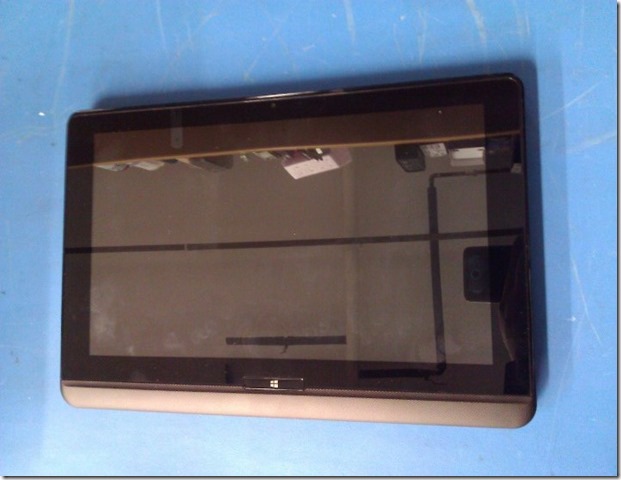
WP_000882

And now the killer feature:

WP_000883

The screen slides upwards to reveal a keyboard and touch pad.

WP_000884

Now, we keep tilting the screen and:

WP_000886

We can bring that screen almost to 90 degrees perpendicular to the keyboard.

One of the principle gripes about the Surface is its one-size-fits-all stand that causes a cramp in taller folk’s neck or limits where the product can be placed for usage.

The Toshiba gives the user the freedom to tilt that display to whatever angle will be required for the given placement circumstances.

User Reaction

We have two Microsoft Surface 64GB units. One for Monique and one for myself. They have been put to good use since their purchase.

Monique’s initial reaction to the U920t was “Meh” it’s bigger and heavier.

However, as soon as the display was sliding up to reveal the keyboard her eyes absolutely lit up. The unit went over to her and we can all guess what happened next. :D

Needless to say Fernando indicated to us that the unit cannot be purchased on the spot!

They should hit Canadian distribution sometime in the next few weeks or so.

Microsoft And OEMs

IMNSHO, anyone claiming that Microsoft one-upped their OEMs was _way_ off base with those comments.

Why?

Because this _engineering sample_ once it was in our hands made it absolutely crystal clear that the Microsoft Surface is a v1 product.

The refinement and all-around integrity in the Toshiba product was and is vastly superior to the Surface in its current form.

In my mind, via my having roots in the auto industry, the Surface reminds me of the Hyundai Pony made by the then fledgling automaker. It accomplished its task but not without a lot of bugs and being technologically far behind other budget minded autos of the time.

Surface and Satellite Specs

Now, one thing to make clear.

The U920t is larger than the Surface and thus heavier. To have that keyboard tucked in as it does means more weight for the mechanism to keep things together.

Plus, we are talking about a mobile i5 processor next to the ARM in the Surface so battery weight will be greater in the U920t.

However, the Core i5 gives the U920t more grunt to work with those full Windows compatible applications.

In a way we are talking apples to oranges here in that the Surface does meet a very specific need for a light weight and ultra-portable device with a built-in keyboard. It also does almost everything that it’s PC/Laptop cousins do with a little help from a 3G/LTE hotspot.

However, despite the extra weight the size of the U920t makes it much more attractive as a laptop/portable replacement.

Oh, and the U920t solves the finger poking the screen thing that has been happening on the Portege Z830 since Windows 8 Enterprise x64 was installed on it. :)

Conclusion

We will probably have at least one Surface 64GB unit with Furry Keyboard Cover (that’s the first thought that came into my head when I saw the default keyboard – it looks furry) for sale once the U920t hits the market.

The point of this post is the following: Many took the whole Surface ecosystem as being a hit against the OEM Vendors. After seeing and working with the Toshiba Satellite U920t nothing can be further from the truth.

While in Las Colinas Texas last week for training at the Microsoft Campus for Windows Server 2012 Essentials and Multi-Point Server Lenovo did a vendor blitz in the Microsoft dining room one lunch hour. The Windows 8 convertibles and touch enabled laptops were flat out amazing to see, touch, and work with.

Again we were stymied when we wanted to purchase one on the spot! The touch enabled laptop was just _that good_.

While our thoughts on this subject may be based on a few samples of OEM Vendor’s Windows 8 products one conclusion can be drawn here: Microsoft has a _huge_ gap to make up to come even remotely close to the all-around product engineering, manufacturing, quality, and end-user experience that the current OEMs provide in their products.

The Windows 8 OS the product does not make.

One requires an attractive and solid hardware platform around the OS that provides the end-user with a platform that performs and remains relatively stable across its lifetime.

Prediction

Apple’s stock will be under a lot of pressure in the next year or two due to the loss of iDevice sales into schools and businesses as the Windows 8 portable RT and PRO platforms mature. Never mind their rumbling about dropping the Intel platform (Huh? Who the Chicken thought up that idea?!?)

While the phone side of things is still up in the air there is no doubt that Apple has a clear winner in their iOS platform across devices. The catch is that their platform is getting stale.

Microsoft and their OEM Vendor partners are only just beginning to bring about what we believe will be a revolution in personal computing like we have not seen in years.

Having the Windows 8 experience across device platforms is going to change things for WinTel and now WinARM ... big time!

Apple has gifted the industry with the freedom to produce products that no longer fit into the black or silver box mode. We believe we are now just beginning to see that happening in the PC industry across devices of all statures and abilities.

One word: Neat!

Philip Elder
MPECS Inc.
Microsoft Small Business Specialists
Co-Author: SBS 2008 Blueprint Book

Windows Live Writer

Thursday, 8 November 2012

Windows 8 x64 Enterprise Install on Portege Z830 Was Great

We tried to get the Release Candidate of Windows 8 installed on a Toshiba Portege Z830 with not very positive results.

This go around with the RTM bits was about 96% successful. We ended up needing the Bluetooth driver and the Fingerprint Reader driver from Toshiba's site.

After verifying the versions of the software we downloaded the versions attached to the Z930-007 for Windows 7 since they were newer.

In addition to those two drivers the Toshiba Service Station should be installed to keep the machine's drivers and BIOS up to date. Also, to get the special function keys to work and the ability to toggle the Touch Pad on and off requires the Toshiba Value Added Package.

In the RC we were not able to get our 14" Toshiba USB external monitor to initialize at all. The DisplayLink drivers were non-existent in the OS and the Windows 7 drivers refused to install at all. We are happy to report that the DisplayLink driver is built into RTM Windows 8.

So, we are able to run the external display via USB 2. Besides the ability to Extend the primary display for two distinct desktops we are able to Duplicate the primary display on the external display for small one or two person presentations.

A pico projector would be another option but a power supply is required. The Toshiba USB monitor is powered by the USB connection as well so no additional cables or power requirements are to be had.

There is one very noticeable addition in computing behaviour now that we have Windows 8 on the Surface, multi-monitor systems in the shop, and now the Portege Z830 with single or dual display: The tendency to reach over and touch the monitor. This tendency emerged after acquiring the Surface.  :)

Philip Elder
MPECS Inc.
Microsoft Small Business Specialists
Co-Author: SBS 2008 Blueprint Book

Windows Live Writer

Thursday, 1 November 2012

Anyone Else Getting Fed Up with Ads? Microsoft Surface RT Fail

Yeah, folks need to get the word out.

Yeah, advertising is one way to do that.

Do I want to look at your ad while in the loo? Probably not.

Do I want to see Cadillac ads in my browser sessions following a visit to their site to look at the new CTS-V Wagon? No.

We just finished a bunch of online banking transactions on a Windows 7 system. We moved on to doing some research and sure enough there were Royal Bank of Canada banners all over many of the sites we hit after that.

We have seen the trends towards Minority Report with facial recognition becoming the norm with the AI in the background recognizing what catches our eyes and thus pushing more of that stuff at us. This after a profile is built on us.

Those in the MSM that state Google is a “Search Company” sure don’t look at the revenue numbers that the company publishes every year. They are an advertising company that pushes other’s wares via search results.

The endgame for Google was never to be the best search engine on the planet. The endgame for Google is that their current stock prices is somewhere North of $650 a share.

Facebook has been looking at ways of monetizing that huge repository of data in their grasp and have totally missed the boat on it.

Hey Mr. Zuckerberg give me a call, I have a business plan from start to finish that may push the envelope on what is possible with that data and advertising has very little to do with it!

What spawned this little somewhat off-topic rant?

The Cadillac ad at the end of the Business News on the Sufrace RT.

I don’t want to see built-in advertising on a machine I just paid $720 for!

At least give me the option to turn the bloody things off. Even if I have to pay an extra $100 for that I would. However, that option should have been apparent _before_ purchasing the device.

Between you, me, and the fence post Surface just stopped dead. We will be looking at other vendor’s RT devices as options. We will also be watching out to see if the advertising is a Windows 8 RT thing specific to the Surface or whether the advertising shows up on _all_ RT devices.

If built-in advertising plagues the other vendor’s RT product lines then we will not be looking at RT any further.

Since Surface Pro is aimed at business there can only be a shred of hope that built-in advertising will not be found anywhere on the device.

Philip Elder
MPECS Inc.
Microsoft Small Business Specialists
Co-Author: SBS 2008 Blueprint Book

Windows Live Writer

Wednesday, 31 October 2012

Microsoft Surface RT First Impression

We picked up a Microsoft Surface RT 64GB unit for myself yesterday.We also picked one up for Monique as she does a fair amount of e-mail and research for her homeschool duties.

While Apple is most certainly the king of the product box experience the Surface is very well packaged and easy to get to for those eager to get started.

It takes a bit for it to start up. The start-up routine between answering the initial profile questions (ours are both MicrosoftID integrated) and then the OS post question configuration took a bit.

If there is one thing that Microsoft has the others beat on in this game of Synergy between device environments it’s definitely to be found in the Windows 8 experience.

Howz that?

Once a person has set up their first Windows Phone 7 device, in this case both of us quite a while ago, and then their first Windows 8 Desktop (even without the initial Windows Phone setup), the Windows 8 experience keeps going on between devices.

Almost all aspects of social integration can be had on all Windows Phone 7/8 devices and now Windows 8 PCs, tablets, and RT based tablets with little more than signing in with the same LiveID/MicrosoftID.

Wow.

The time savings is huge especially for those that have fairly complicated profiles and Live Tile setups.

So, once the MicrosoftID side of things is flying along it’s not too difficult to add another Windows 8 device. That means that when the Surface Pro gets released sometime around Christmas or in the New Year setup is again going to be fairly straight forward.

The device is neat. It’s easy to use with a bit of a learning curve for the swipe gestures.

It’s quick and so far quite fun to play Fruit Ninja on. Angry Birds Space will be the next step. :)

Now, the one hurdle that this device will need to overcome: Our kids, who have been exposed to iDevices at their friend’s and cousin’s place) have been repeatedly calling it an “iPad”.

It will take a while for them and others to adjust to the reality that the device is not made and/or called anything remotely close to the Fruit Company’s devices.

Is this device an iPad killer?

This early in the game? Probably not.

However, the Surface RT is only the first salvo in what is going to be a really awesome fur is flying competition between the two giants.

IMNSHO, the advantage goes to Microsoft. Why?

Apple has been doing the same thing, in little increments, for a long time. Much like a chef that has a great recipe that gets tweaks and changes over time the recipe is growing stale.

Microsoft has a brand new recipe. And not only that, they are not the only chefs in the Kitchen. Toshiba, Asus, Acer, and other OEMs are going to be releasing some of the best PC/RT platform innovation we have seen in our industry _ever_.

Philip Elder
MPECS Inc.
Microsoft Small Business Specialists
Co-Author: SBS 2008 Blueprint Book

Windows Live Writer

Monday, 15 October 2012

Neat: Microsoft Surface Ad “The Surface Movement”

The following video was pointed out by fellow MVP Cris Hanna.

The Surface Movement

The keyboard has been the tablet’s Achilles’ heel from the get-go.

Wanting to get any serious work done on the Tega v2 tablet required us to purchase some sort of keyboard/mouse combination. The Logitech DiNovo Mini met that need for our Tega v2 tablet.

The fact that the Surface will have a keyboard built right into the unit is a “killer feature”.

Folks that are spot checking their Live Tiles for something they are waiting for can touch their way through in a few taps and swipes.

Someone that needs to focus on finishing up that report or tweaking their proposal will require an extra input method. The Surface’s built-in keyboard kit is perfect for that.

For anyone that has travelled coach, the ability to disconnect the keyboard and rest it on our lap while the tablet itself sits on the now reclined seat table in front of us is going to be a really good thing too!

The Surface and other OEM Windows 8 product offerings that are going to be available soon are, IMNSHO, going to be a game changer for that market segment.

Philip Elder
MPECS Inc.
Microsoft Small Business Specialists
Co-Author: SBS 2008 Blueprint Book

Windows Live Writer