Showing posts with label Network Security. Show all posts

Monday, 7 January 2019

Security: Direct Internet Connections for KVM over IP devices such as iLO Advanced, iDRAC Enterprise, Intel RMM, and others = BAD

While discussing firmware and updating firmware this situation, experienced a number of years ago vicariously, came to light:

ISP: Excuse me sir, but we have a huge volume of SPAM coming out of [WAN RMM IP]
Admin: Huh?
ISP: We are seeing huge volumes of SMTP traffic outbound from [WAN RMM IP]
Admin: Oh?
* Checks non-existent documentation
Admin: Um, is that IP assigned to us?
ISP: Yes sir, along with [WAN SSL IP for internal services]
Admin: Hmmm …
[PAUSE]
Admin: Oh, wait, I think I know … [unplugs iLO/iDRAC/RMM from switch connected to ISP modem]
Admin: Is it better now?
ISP: Oh yeah, what did you do?
Admin: Oh, I fixed it.

One should never plug a RMM/iLO/iDRAC type device directly into the Internet right?

We probably blogged about this in the past, but it definitely bears repeating as we still encounter situations where the devices are plugged directly in to the Internet!

Happy New Year everyone! :)

Philip Elder
Microsoft High Availability MVP
MPECS Inc.
Co-Author: SBS 2008 Blueprint Book
www.s2d.rocks !
Our Web Site
Our Cloud Service

Thursday, 6 December 2018

Error Fix: Trust Relationship is Broken

Here's a quick post on fixing a broken trust situation when the local administrator username and password is a known commodity.

On Windows 7:

  1. Windows Explorer
  2. Right click My Computer/This PC --> Properties
  3. Change settings for Computer Name
  4. Change button
  5. Domain: Setting Now: DOMAIN.LOCAL
    1. Change to DOMAIN (delete .Local)
    2. Credential
  6. Reboot

That process will fix things for Windows 7 unless PowerShell is up to date then for all others including it:

  1. Log on with local admin user
  2. Reset-ComputerMachinePassword -Credential DOMAIN\DomainAdmin
  3. Log off
  4. Log on with domain user account

That's it.

If you know any other methods, especially for situations where the local admin username and password is an unknown or all local admin accounts are disabled feel free to comment or ping!

Thanks for reading. :)

Philip Elder
Microsoft High Availability MVP
MPECS Inc.
Co-Author: SBS 2008 Blueprint Book
www.commodityclusters.com
Our Web Site
Our Cloud Service

Friday, 30 November 2018

Some Thoughts on the Starwood/Marriott Reservations Database Breach

Note: This post will _not_ be a happy one.

First: The announcement page: Starwood Guest Reservation Database Security Incident Marriott International

That page is garbage, rubbish, and so much more. It exemplifies today's epidemic of spin instead of truth and responsibility for an error that harms others.

First:

image

"Marriott values our guests and understands the importance of protecting personal information."

That is a complete crock of male bovine excrement.

Especially when we look to the following:

image

"After receiving the internal security alert, we immediately engaged leading security experts to help us determine what occurred."

Okay, so just when did that security alert come in?

image

"On September 8, 2018, Marriott received an alert from an internal security tool regarding an attempt to access the Starwood guest reservation database."

Cool, so things look like they got caught really quick right? That seems to be the way this article is written right?

NOT:

image

"Marriott learned during the investigation that there had been unauthorized access to the Starwood network since 2014."

Let's rephrase all of the above shall we:

Marriott: We let unauthorized access to our reservation database happen for FOUR YEARS.

Yeah, "We at Marriott/Starwood really care about your data/PII." Really. All said with a smile.

***

In our case, the CC used for our various stays has expired very recently. So, we should be protected that way. And, to further protect things we use KeePass with unique passwords for any and all online resources with unique e-mail addresses set up for each of them (we're doing this more and more).

Suffice it to say, if the Marriott really cared about risk to our PII (Personally Identifiable Information) the reservations system would have been segmented with designated access and no Internet access. We've been applying our knowledge of network setup to segment our client's networks for years. Especially with PCI scans being somewhat generic and different depending on what org is running the scans.

Oh, and note that credit card information was stored in there too. How in the world did that pass muster with PCI scans?

image

LMHYWT (Let me help you with that) " … two components needed to decrypt payment card numbers and Marriott not able to rule out both were taken."

Tis a sad day indeed when spin and lawyer speak win out over a true "Mea Culpa" we really *insert expletive here* up.

This Marriott incident is a gross breach of trust and it is time companies be held liable for such.

Philip Elder
Microsoft High Availability MVP
MPECS Inc.
Co-Author: SBS 2008 Blueprint Book
www.s2d.rocks !
Our Web Site
Our Cloud Service

Wednesday, 29 August 2018

Legacy Windows XP for Industrial Machine Access and Management and Accounting Apps

There are quite a few systems out there that still use Windows XP or an earlier operating system to run the equipment.

So, what do we do when we need to get access to one of these kinds of machines?

Well for one, we make sure they are completely isolated and not accessible from anywhere except perhaps one secure jump point.

For another, when we do need to access the legacy system here's one method that allows for maintaining the legacy system's isolation:

  1. Enable RDP Inbound on the legacy system (Windows)
  2. Set up a vanilla Windows 7 Service Pack 1 VM that is set to not update
    • This would be our jump point
    • The Win7 VM would be left off except when needed
    • If need be, set this VM up on a laptop that can be plugged in to the legacy system's network
  3. Set up any needed tools on the Win7 VM
    • RMM, Remote Desktop Shadow/Sharing tools, Firefox (leave the base level IE in place), any needed tools
  4. Log on to the legacy Windows XP via RDP
    • Make sure Drive Redirection is enabled
    • Use Drive Redirection to transfer any files that won't go via Copy & Paste (Clipboard)
  5. Use the Win7 VM as the default work-from desktop
  6. When done, shut the Win7VM down
    • Unplug from the legacy network when done if using a laptop with the Win7VM

For legacy systems require some form of *NIX the above process can be used for a vanilla install of the needed distro and kept offline until needed.

The principle at work here is to keep the legacy systems isolated from everywhere especially the Internet. And, to keep any jump points running an intermediary operating system that is too far back to keep safe and secure offline until needed.

As an FYI, we keep one or two legacy Windows 7 and Windows XP VMs in an offline state with legacy accounting applications installed as a just-in-case. There are times where a firm may need to go way back for a client file.

Philip Elder
Microsoft High Availability MVP
MPECS Inc.
Co-Author: SBS 2008 Blueprint Book
www.commodityclusters.com
Our Web Site
Our Cloud Service

Monday, 6 August 2018

Cloud Hosting Architecture: Tenant Isolation

Cloud Vendors Compromised

Given the number of backchannels we are a part of we get to hear horror stories where Cloud Vendors are compromised in some way or get hit by an encryption event that takes their client/customer facing systems out.

When we architect a hosting system for a hosting company looking to deploy our solutions in their hosting setup, or to set up an entirely new hosting project, there are some very important elements to our configuration that would help to prevent the above from happening.

A lot of what we have put into our design is very much a result of our experiences on the frontlines with SMB and SME clients.

One blog post that provides some insight: Protecting a Backup Repository from Malware and Ransomware.

It is absolutely critical to isolate and off-site any and all backups. We've also seen a number of news items of late where a company is completely hosed as a result of an encryption event or other failure only to find out the backups were either wiped by the perps or no good in the first place.

Blog Post: Backups Should Be Bare Metal and/or Virtually Test Restored Right?

The full bare metal or virtual restore is virtually impossible at hyper-scale. Though, we've seen that the backups being done in some hyper-scale cloud vendor's environments have proven to be able to be restored while in others a complete failure!

However, that does not excuse the cloud customer or their cloud consultancy from making sure that any and all cloud based services are backed up _off the cloud_ and air-gapped as a just-in-case.

Now, to the specific point of this blog post.

Tenant Isolation Technique

When we set up a hosting solution we aim to provide maximum security for the tenant. That's the aim as they are the ones that are paying the bills.

To do that, the hosting company needs to provide a series of layered protections for tenant environments.

  1. Hosting Company Network
    • Hosting company AD
    • All hosting company day-to-day operations
    • All hosting company on-premises workloads specific to company operations and business
    • Dedicated hosting company edges (SonicWALL ETC)
  2. Tenant Infrastructure Network
    • Jump Point for managing via dedicated Tenant Infrastructure AD
    • High Availability (HA) throughout the solution stack
    • Dedicated Tenant Infrastructure HA edges
      • Risk versus Reward: Could use the above edges but …
    • Clusters, servers, and services providing the tenant environment
    • Dedicated infrastructure switches and edges
    • As mentioned, backups set up and isolated from all three!
  3. Tenant Environment
    • Shared Tenant AD is completely autonomous
    • Shared Tenant Resources such as Exchange, SQL, and more are appropriately isolated
    • Dedicated Tenant AD is completely autonomous
    • Dedicated Tenant Resources such as Exchange, SQL, and more are completely isolated to the tenant
    • Offer a built-in off-the-cloud backup solution

With the solution architected in this manner we protect the boundaries between the Hosting Company Network and the Tenant Environment. This makes it extremely difficult for a compromise/encryption event to make the boundary traversal without some sort of Zero Day involved.

Conclusion

We've seen a few encryption events in our own cloud services tenants. None of them have traversed the dedicated tenant environments they were a part of. None. Nada. Zippo.

Containment is key. It's not "if" but "when" an encryption event happens.

Thus, architecting a hosting solution with the various environment boundaries in mind is key to surviving an encryption event and looking like a hero when the tenant's data gets restored post clean-up.

Thanks for reading!

Philip Elder
Microsoft High Availability MVP
MPECS Inc.
Co-Author: SBS 2008 Blueprint Book
www.commodityclusters.com
Our Web Site
Our Cloud Service

Saturday, 19 August 2017

Server 2012 R2 BitLocker Post Install Error: Unspecified Error

The following error happened on a DC we recently set up and were going to encrypt via BitLocker:

image

C:\Users\USERNAME\AppData\Local\Packages\windows.immersivecont...
C:\Users\USERNAME\Classic_{GUID}.settingcontent-ms
Unspecified error

A quick search turned up a simple fix: Reboot the server a second time.

Sure enough, good to go:

image

As a rule, we deploy a TPM in all of our physical DCs that are deployed with our clusters. They are then encrypted using BitLocker. This greatly reduces the exposure to compromise if someone has physical access to that DC. For virtual DCs, we now have the ability to pass a vTPM through to the guests in Server 2016. We're still in the testing phase, but our plan is to have _all_ domain controllers on networks we manage encrypted!

Philip Elder
Microsoft High Availability MVP
MPECS Inc.
Co-Author: SBS 2008 Blueprint Book
Our Cloud Service

Friday, 26 February 2016

Security: A Sample E-mail How-To Guide For End Users

With the plethora of e-mail born Office documents with active macros in them to pull down malware/ransomware we sent out the following e-mail to all of our clients for distribution internally.

***

Good day everyone,

It’s gotten to the point now where we are considering a universal restriction on incoming Office Documents. By that we mean plucking them right out of the e-mail via ExchangeDefender by default.

We have somehow travelled back to the 1990s where the bad guys are setting up Office documents with a Macro, an automatic script that runs when the document gets opened, that goes on to pull down their nefarious malware or ransomware.

Here are some steps to help protect us:

  1. Microsoft Office has a Save As PDF feature built-in. Please have all outside folks send a PDF instead of an Office document
    1. This is especially critical for Resumes. All job postings _must_ request PDF and note that Office documents would be deleted on the spot!
    2. If collaboration is required for Office documents use ShareFile
    3. Preferred over Dropbox since security is questionable with the Dropbox service
  2. Most Office documents that have Macros built-in have an “m” in the extension
    1. clip_image001
    2. Save the Office document to Downloads and verify!
    3. If extensions are not shown then right click the file and left click on Properties
    4. clip_image002
  3. Users _should_ be prompted:
    1. clip_image003
  4. Obviously, the answer should be to NOT click that button
  5. If they do, there is one last cause for pause
    1. clip_image004
  6. This is what happens if I try and click on something that is Macro driven _before_ clicking Enable Content
    1. clip_image005

Along with the need to be mindful of any Microsoft Office attachments in our e-mail we should also remember the following:

  1. Never click on a link in an e-mail without at the least verifying its destination:
    1. clip_image006
    2. Hover the mouse cursor over the link to verify
    3. As a rule: Never, ever, click on a link in an e-mail. Go to the web site after opening a new browser window (IE, Firefox, Chrome, Safari)
  2. It may _look_ like it came from someone you know but never trust that. Call and ask!
    1. There are a few exceptions to this rule thus make sure to hover your mouse over the link before clicking!
    2. Advanced users can check the headers
      1. image
      2. image
      3. Follow the flow from origin server to destination server
  3. Don’t save important site’s information in the browser
    1. Banking IDs and passwords
    2. CRA and critical site’s IDs and passwords
    3. Do not disable the secondary question for any computer
      1. Banking sites use this feature to help protect the account as one example
      2. Answer the question, it only takes a couple seconds and could save your savings!
  4. Never call the 800 number that comes up in a Search for Support!
    1. Go to the manufacturer’s web site and click on the Support link to find the correct phone number
  5. Never believe a pop-up message that says your computer is infected with something!
    1. And never, EVER, call the 800 number on that pop-up!
    2. Don’t click anywhere, close and save your work if needed then, reboot!
    3. Do NOT click anywhere in the pop-up window. Looks are deceiving as all areas of that pop-up = YES/ACCEPT/CONTINUE
  6. Never volunteer a credit card number or banking information to anyone
    1. Social Security/Social Insurance Numbers too!
    2. Folks can garner a lot about us online. Never volunteer any information when asked via any incoming call/e-mail/forum
    3. Always call them back!
  7. Caller says they are from the bank, CRA, or other seemingly critical business?
    1. Ask for their badge number, an 800 number to call, and an extension
    2. Open a browser and verify the 800 number belongs to the bank/CRA/CritBiz.
    3. Then call them back after hanging up if the number proves true!

While the above list is far from complete, by following these guidelines we can greatly reduce the chances of a malware or ransomware infection.

And, as always, e-mail or call if you are not sure about something!

***

Please feel free to use this as a template for training users!

Have a great weekend everyone. It’s +10C here and much like an awesome Spring day!

Philip Elder
Microsoft High Availability MVP
MPECS Inc.
Co-Author: SBS 2008 Blueprint Book

Thursday, 25 February 2016

Some Thoughts On Security Layering for SMB and SME

We are by no means masters of security for our SMB and SME clients. Since we have to wear many hats we sometimes need to bring folks in that can help us to fine tune the security layers in our client’s networks.

Here are some of the Pearls (blog category) that we have garnered over the years. This was posted originally to the SBS2K Yahoo List and has been modified for this post.

***

Layering is important.

Some examples follow.

Windows Firewall

  • Windows Firewall is managed by Group Policy
    • All Profiles: ON
    • All Profiles: Block ON
    • All Profiles: Logging ON
    • All Profiles: Pop-Up for new services ON
    • DOMAIN Profile: Custom Inbound rule sets for required services beyond the default.
    • Private and Public Profile: INBOUND BLOCK ALL
      • If data sharing is required then a small and inexpensive NAS should be set up

Mail Sanitation and Continuity

ExchangeDefender (xD), for us, is one of the principle ways we keep bad stuff outside of the network.
Why allow it to hit the edge in the first place? Plus, it eliminates SMTP Auth attacks as the WAN IP is not published via MX among other attacks. Interested? Ping us and we’ll set you up.

Edge (Router)

A solid edge device, we use SonicWALL, with a BLOCK ALWAYS rule for ALL outbound traffic is a key element. Rule sets for outbound traffic are very specific and tailored to a client’s needs.

  • Examples:
    • DNS queries to non on-premises DNS servers are blocked. All DNS queries must go through the on-premises DCs.
    • On-Premises edge only or DCs can have the DNS Forwarders set to DNS filtering services.
    • SMTP traffic outbound only from the on-premises Exchange server. Or, local copiers/MFPs to ISP SMTP server IP only
    • Inbound is HTTPS via ANY
    • SMTP via xD subnets only.
    • RDP on ANY port should NEVER be published to the Internet.
      • RD Gateway with Network Level Authentication is a must today.
      • Any exceptions require a static IP on the source end to allow inbound rule filtering based on IP.
      • Look up TSGrinder if not sure why…

Ransomware Protection

Third Tier’s Ransomware Protection Kit is another layer of protection. Everything is contained in this kit to deploy a very tight layer of protection against today’s Ransomware.

Microsoft Office Group Policy Security

Office Group Policy structures with Macros disabled by default, non-local sources blocked, and other security settings for Office files provide another layer.

  • This one gives users grief because they need a few extra steps to get to the documents.
  • We’ve started requesting that clients have a PDF only policy on their Jobs listing pages and such.

A User Focused Effort

IMNSHO, A/V at the endpoint has become virtually useless today. Things seem to be a lot more targeted on the virus side with ransomware taking over as the big cash cow. We still install A/V on all endpoints. :)

What we are saying, is that the principle portion of the risk of infection comes via the user.

A well trained user means the risk of infection drops substantially.

A user’s browsing habits and link clicking are the two key areas of training we focus on. Sites visited are another.

We suggest to clients that a company policy of allowing browsing for business related tasks only while connected to the company’s network resources. This policy can further reduce exposure.

Part of our training regimen is a somewhat regular e-mail from an outside account to users to test them and challenge them is a good idea every once in a while.

  • Link hovering to discover the true destination
  • Attached Word doc with *BUZZ WRONG* when opened
  • Just because it SAYS it’s “FROM” someone we know doesn’t mean it is!

Backup Protection

Oh, and protect the backup loop (blog post on closing the backup loop)!

BTW, we just heard about another NAS based backup that was ransomware encrypted as a result of the destination folder being open to users.

Anyone, and I mean ANYONE, that has a backup structure, whether NAS or HDD based, that allows users and admins access outside of the backup software username and password setup needs to close that loop NOW. Not on the To Do List, not for tomorrow, not next week, but NOW.

Just in case: Close that Backup Loop Now.

Hyper-V Standalone Setups

One more point of order: In standalone Hyper-V settings leave the host in workgroup mode.

No one on the network should have the admin username and password to that host. No. One. It should be documented somewhere but not public knowledge.

Please feel free to add the layers you use to this post via comments.

Thanks for reading!

Philip Elder
Microsoft High Availability MVP
MPECS Inc.
Co-Author: SBS 2008 Blueprint Book

Tuesday, 6 November 2012

Independent AntiVirus Vendor Product Review Resources

We need some independent voices when it comes to the plethora of AntiVirus products out there.

In our search we have come up with the following resources that provide some insight into the various AntiVirus products out there and how affective they are.

virus BULLETIN

So far the best one we have come up with is:

Their Magic Quadrant is an awesome at-a-glance view of current product:

image

The above chart is a great comparison of a great many AntiVirus vendor’s products.

AV-comparatives

This site has some great charts with a number of important factors that should be a part of our A/V product analysis.

There are a number of different reports available on this site.

image

image

The above charts give us some inclination on how the product protects the endpoint but also how it impacts the performance of the endpoint machine.

It used to be that A/V products could greatly hinder a user’s day-to-day duties. With today’s PCs that is not so much a problem anymore but one should still be mindful of any possible impact especially for power users.

AV-Test

This site has a limited product list with a few informative charts based on the host operating system being protected.

The link above is to their corporate products list:

image

Note the lack of AVG listed anywhere on this chart.

Based on the Virus Bulletin results and the A-V Comparatives results we are confident that AVG can be a viable alternative to Symantec’s EndPoint Protection.

We will be looking at deploying the AVG product here and as a pilot at one of our more active accounting firms to get some real-world experience with it.

Philip Elder
MPECS Inc.
Microsoft Small Business Specialists
Co-Author: SBS 2008 Blueprint Book

Windows Live Writer

Monday, 17 September 2012

Microsoft Attack Surface Analyzer 1.0 Released

Need to know what kind of impact installing a Line of Business (LoB) application has on a server?

Run the Attack Surface Analyzer prior to installing that application to get a baseline.

After installing that LoB run the Analyzer again and compare against the baseline.

In some cases, be prepared to be surprised at the changes the LoB install made.

image

This is definitely one to keep on the Technician's Thumb Drive (blog category).

Hat Tip: Susan Bradley

Philip Elder
MPECS Inc.
Microsoft Small Business Specialists
Co-Author: SBS 2008 Blueprint Book

Windows Live Writer

Tuesday, 8 May 2012

Security Video: TEDx – Avi Rubin – All Your Devices Can Be Hacked

This video is absolutely jaw dropping.

All Your Devices Are Belong To Us

Folks that develop systems, such as on board computer networks in vehicles or medical systems, that allow access via wire or wireless need to rethink the way those systems are made.

Fellow MVP Dana Epp also has some great security related videos that include simple step-by-step instructions on how to get past system security.

It’s getting to the point where the only “secure” way to live is to build a log cabin somewhere with a faraday cage and no inbound/outbound connections whatsoever. Note that there needs to be tree cover to deep keep the eyes in the sky out too.

Getting to know the risks is a part of what we do.

Philip Elder
MPECS Inc.
Microsoft Small Business Specialists
Co-Author: SBS 2008 Blueprint Book

*Our original iMac was stolen (previous blog post). We now have a new MacBook Pro courtesy of Vlad Mazek, owner of OWN.

Windows Live Writer

Thursday, 26 April 2012

Video: Crack the Cred: Get into a Windows System/DC when the Domain Admin Password is Unknown/Lost/Changed

Fellow MVP Dana Epp goes through the steps to change the domain admin’s password on a DC where that password is not known or lost in episode 105 of Crack the Cred.
image
If there is a newer episode on the site then hover over the Playlist to get to episode 105.
It is very easy to do.
This is five minutes of any IT administrator’s life that is well spent. Period.
As Dana notes, the only way to protect that DC is by having the system partitions encrypted by BitLocker. Physical security for that DC is a close second.
We explain this situation to all of our clients and potential clients as a part of our IT Solutions Vision. Securing their systems is always a part of the conversation especially since many folks have those servers running in closets that are shared with anything from copiers to stationary!
Awesome job Dana!
Philip Elder
MPECS Inc.
Microsoft Small Business Specialists
Co-Author: SBS 2008 Blueprint Book
*Our original iMac was stolen (previous blog post). We now have a new MacBook Pro courtesy of Vlad Mazek, owner of OWN.
Windows Live Writer

Tuesday, 24 April 2012

Windows Security Center: Windows Security Center service can’t be started (was no longer installed)

When trying to get the Windows Security Center (WSC) started on a Windows Vista machine after cleaning a virus infection we saw:

image

We looked for the service in Services.MSC with it nowhere to be found:

image

We ran sfc /scannow from an elevated command prompt:

image

The above did not work.

So we ran a registry Merge to try and bring it back:

image

That did not work. The service did not reappear.

So, we followed the instructions located here:

We paused the WMI service, deleted the Repository folder indicated, and rebooted. Note that the Repository folder did _not_ show up after we un-paused the WMI service. It showed up after the reboot.

image

We obviously still have some issues to work through but at least we have the Security Center back.

Philip Elder
MPECS Inc.
Microsoft Small Business Specialists
Co-Author: SBS 2008 Blueprint Book

*Our original iMac was stolen (previous blog post). We now have a new MacBook Pro courtesy of Vlad Mazek, owner of OWN.

Windows Live Writer

Tuesday, 13 December 2011

Hyper-V Host in Workgroup and Management Client in Domain Error after Password Change: You do not have the required permission to complete this task . . .

The password for the domain account just rotated at one of our client sites where we have the beginnings of a two node cluster (1 node and 1 Promise VTrak).

After changing the password for the account on the node and then for the domain account we logged off the management machine. Once we logged back in we saw:

image

  • Hyper-V Manager: Virtual Machines
    • You do not have the required permission to complete this task. Contact the administrator of the authorization policy for the computer “HV_Node”

We used John Howard’s HVRemote utility to configure the node which is currently in a workgroup and the management Windows 7 desktop VM that is a member of the SBS 2011 DC running as a guest on the node.

To start with, we ran the following command on the Windows 7 desktop:

  • cmdkey /add:HV_Node /user:HV_Node\FirstLast /pass
    • Enter the password for 'HV_Node\FirstLast' to connect to 'HV_Node':
  • CMDKEY: Credential added successfully.

We then opened the MMC that we created using the domain user’s credentials that was synchronized with the node and we saw the following in the Hyper-V Management node:

image

We were then good to go and manage the node and its features along with the VMs on it.

Philip Elder
MPECS Inc.
Microsoft Small Business Specialists
Co-Author: SBS 2008 Blueprint Book

*Our original iMac was stolen (previous blog post). We now have a new MacBook Pro courtesy of Vlad Mazek, owner of OWN.

Monday, 28 November 2011

Is Intuit QuickBooks 2012 Phoning Home?

We are in the process of setting up the Intuit QuickBooks 2012 database manager on a relatively new SBS 2011 setup.

This is our first time seeing this software so we were a little surprised by the following during the QB 2012 setup routine:

image

The installer looks like the following when ready to install:

image

image

image

And finally:

image

The database management install only took a few minutes for this particular setup.

The next step in this process was to update the firewall rules on the SBS 2011 (running virtualized) to allow the database manager and its components to function. Once the firewall rules were updated we recycled both QB services.

image

image

For the moment we will be leaving the “…DB20” service alone.

To test the setup we went to install QB 2012 on the RDS server on this particular network. Again we received the prompt:

image

We choose the option to only install the QB client:

image

image

image

Now, we go and install the Intuit QB Connection Diagnostic Tool:

image

Once completed we run the tool. When the tool begins its start-up process we see the following warning several times:

image

We then run the Test Connectivity tool:

image

When we were done we clicked on the Close button and received several more prompts for the workplace URL.

We have yet to dig into Intuit’s Privacy Policy and documentation to figure out just what information is being transmitted back home. Neither the QB install routine nor the QB Connection Diagnostic Tool have any links anywhere that have any relevant information either.

image

The Help link was not very helpful either.

For now we have a look around to see if we can find any further information.

For now, the following may give us a clue as to what is going on as it was a Snip taken earlier this year:

image

With the new URL it looks as though Intuit has brought the analytics in-house.

Philip Elder
MPECS Inc.
Microsoft Small Business Specialists
Co-Author: SBS 2008 Blueprint Book

*Our original iMac was stolen (previous blog post). We now have a new MacBook Pro courtesy of Vlad Mazek, owner of OWN.

Monday, 22 August 2011

SBS 2008 and 2011 Active Directory Password Complexity

To manage the password setup in SBS 2008 and SBS 2011 Active Directory we use the SBS Console:

  1. Open the SBS Console.
  2. Click on the Users and Groups tab.
  3. If not already selected, click on the Users tab.
  4. Under Tasks click on Change password policies.
    • image
  5. Set the password policy settings accordingly.
    • image
  6. Click Apply and OK.
    1. NOTE: All users will be required to change their passwords on their next log on if any changes are made to these settings!

This wizard is normally used during the set up process only.

If this wizard is used somewhere in the middle of an SBS Migration or SBS Swing Migration the consequences may be dire. It is best left as the final step _after_ at least one week of the post-migrated server being in production.

Philip Elder
MPECS Inc.
Microsoft Small Business Specialists
Co-Author: SBS 2008 Blueprint Book

*Our original iMac was stolen (previous blog post). We now have a new MacBook Pro courtesy of Vlad Mazek, owner of OWN.

Windows Live Writer

Monday, 1 August 2011

Some Interesting Mobile Device Security Reading

These links are courtesy of Security MVP Harry Waldron.

This final link comes via Susan Bradley:

It is up to us to advise our clients on any attack vector that may present a problem for their business and some ways to mitigate exposure. This is especially true for clients that hold sensitive client information in their systems.

The more integrated into our client’s systems mobile devices get the greater the need for caution _before_ integrating any device into those systems.

Philip Elder
MPECS Inc.
Microsoft Small Business Specialists
Co-Author: SBS 2008 Blueprint Book

*Our original iMac was stolen (previous blog post). We now have a new MacBook Pro courtesy of Vlad Mazek, owner of OWN.

Windows Live Writer

Tuesday, 5 July 2011

Client Information Security – Beyond the Data

Rhetorical Questions:

  • How many of us that work with SBS/SMB have the _same_ domain administrator’s name and password across all of our client’s deployments?
  • How many of us use the same or similar password for Web based services?
  • How many of us use a password vault of some sort for all usernames and passwords thus providing a single point of entry to the treasure beyond?

If we are compromised in any way and any of the above holds true, our business could be dead in the water.

We have made many mistakes over the years, some very much in line with the above. As we have grown to understand the implications of our responsibility for our client’s data and its security we have taken many steps to tighten things up on our end.

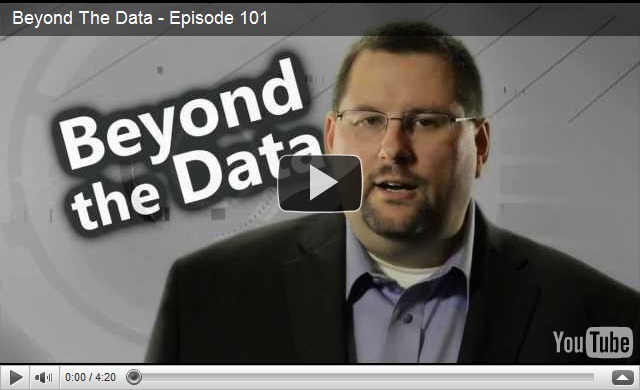
Fellow MVP Dana Epp of Scorpion Software has started a series called Beyond The Data to help us understand the scope of our information security related responsibilities.

Since we wear many hats for our SMB/SBS clients, we need to be conscious of all of the attack vectors against our clients _including our own businesses holding their domain admin usernames and passwords_.

Watching Dana’s videos will be one very informative way on broadening our knowledge and experience and thus help us to tighten up our own security practices:

Microsoft MVP Dana Epp discusses information security and management.

Philip Elder
MPECS Inc.
Microsoft Small Business Specialists
Co-Author: SBS 2008 Blueprint Book

*Our original iMac was stolen (previous blog post). We now have a new MacBook Pro courtesy of Vlad Mazek, owner of OWN.

Windows Live Writer

Tuesday, 7 June 2011

For A Good Read – Microsoft’s Windows 7 Threats and Countermeasures Guide

Microsoft recently released a complete guide to the security settings in Windows 7 and Windows Server 2008 R2 that provides a full explanation of each setting.

image

The guide is available here:

The document weighs in at 387 pages so it is quite comprehensive in its explanation of the various ways and means of securing and monitoring a Windows network.

On page 47 we find:

Audit object access
This security audit policy setting enables auditing of the event that is generated by a user who accesses an object—for example, a file, folder, registry key, or printer—that has a SACL that specifies a requirement for auditing.

How many of us have had to try and figure out which user or users are “accidentally” deleting data on a client’s network? Auditing object access is the way to find out.

Check out the guide as it is well worth it to read through and also to use as a reference.

Hat Tip: Yuri Diogenes

Philip Elder
MPECS Inc.
Microsoft Small Business Specialists
Co-Author: SBS 2008 Blueprint Book

*Our original iMac was stolen (previous blog post). We now have a new MacBook Pro courtesy of Vlad Mazek, owner of OWN.

Windows Live Writer

Wednesday, 29 September 2010

Can’t Download Hyper-V Update Rollup Package 2264080 from Update Catalogue

We saw this update go by on one of our freshly installed Hyper-V Server 2008 R2 nodes:

Now, because the update is available through MU (Microsoft Update), we need to go to the Windows Update Catalogue site to download it separately.

Note that an ActiveX component will need to be installed in the browser in order for the site to work.

image

We input the KB number in the search and get the following result:

image

Click on the view basket (1) link to download the update or updates if additional ones were selected.

image

In our case, we ran Internet Explorer 32-bit as a Standard User on Windows 7 Enterprise x64.

After clicking the Download button we should have seen the following IE window pop up:

image

But, we did not. We saw a similar window in the already existing IE session that would not allow us to do anything. We could not choose a folder at all so things came to a full stop.

We ended up trying to start Internet Explorer in an elevated session (Start –> Internet Explorer –> Right click and credential UAC).

Once we did so we were able to choose a directory to drop the update into:

image

But, when we clicked the Continue button:

image

With IE in an elevated session we were still getting stuck.

We ended up logging into one of our Windows 7 VMs using a domain admin account and doing the following to get it to work:

  1. Open Internet Explorer
  2. Navigate to the Windows Update Catalogue site.
  3. Add the site to the Trusted Sites list.
  4. Close IE.
  5. Open IE and navigate to the Catalogue again.
  6. Search for our needed update.
  7. Add it to the Basket.
  8. Click the Download button.
  9. Choose a directory for the download and click Download.
  10. Click Continue for the UAC prompt.
    • This is what was what was causing the hang.
    • image
  11. Click Close.

image

The reason we are downloading the update as opposed to obtaining it through MU is due to the Nehalem hotfix (KB975530) being included along with a fix for running Hyper-V on the new Westmere CPUs. Since we install the Nehalem update by default on all of our Hyper-V deployments we will now use this RU instead.

Philip Elder
MPECS Inc.
Microsoft Small Business Specialists
Co-Author: SBS 2008 Blueprint Book

*Our original iMac was stolen (previous blog post). We now have a new MacBook Pro courtesy of Vlad Mazek, owner of OWN.

Windows Live Writer